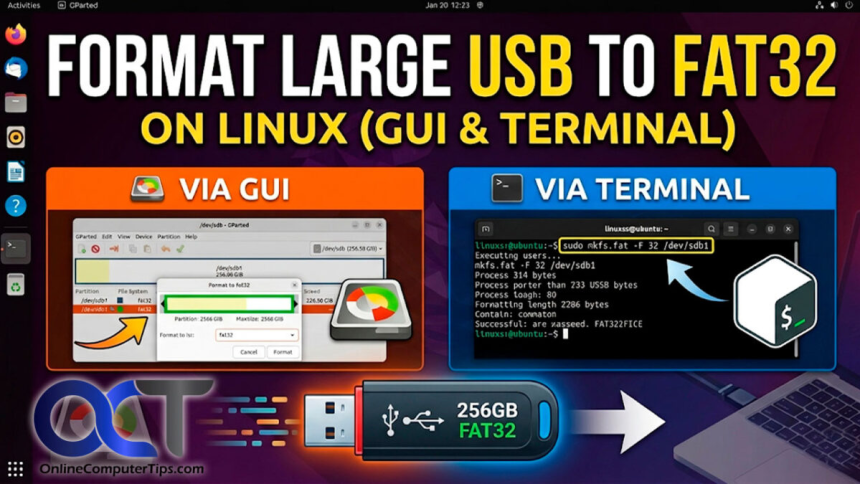
Guiformat is one of the most widely used tools for creating FAT32 partitions on USB drives, SD cards, and external storage devices. Many Windows users turn to this software because the built-in Windows formatting utility does not allow FAT32 formatting on drives larger than 32GB. Guiformat removes this limitation and provides a simple way to prepare large drives for devices that require FAT32 compatibility.
One common question users ask is whether Guiformat supports FAT32 conversion. This question usually comes from people who already have a drive formatted in NTFS or exFAT and want to change it into FAT32 without problems. Understanding how Guiformat handles FAT32 conversion is important because formatting and converting are not always the same process.
In general, Guiformat does support converting drives into FAT32, but the process involves formatting the drive rather than performing a direct file-system conversion. This means the existing data on the drive will usually be erased during the process.
Understanding FAT32 Conversion
FAT32 conversion refers to changing the file system of a storage device from another format, such as NTFS or exFAT, into FAT32. Many users need this conversion because certain devices only recognize FAT32-formatted drives.
Gaming consoles, smart TVs, multimedia systems, cameras, routers, and embedded devices often depend on FAT32 compatibility. When users try connecting NTFS or exFAT drives to these devices, the drives may not work properly. As a result, people search for tools that can convert their storage devices into FAT32.
However, there is an important difference between file system conversion and formatting. Some conversion tools change the file system without deleting data, while formatting completely recreates the file system structure and erases all existing files.
Does Guiformat Actually Convert Drives to FAT32?
Yes, Guiformat can convert storage devices into FAT32 format, but technically it does so by formatting the drive. The software removes the existing file system and creates a new FAT32 partition on the selected storage device.
This means users can take a USB drive currently using NTFS or exFAT and use Guiformat to reformat it into FAT32. After the process is complete, the drive becomes fully compatible with devices that support FAT32.
However, because the process involves formatting, all existing data on the drive is typically erased. Users should always create backups of important files before starting the conversion process.
Why Windows Cannot Easily Convert Large Drives to FAT32
Windows operating systems include built-in formatting tools, but they impose a restriction on FAT32 formatting for drives larger than 32GB. Even though FAT32 itself supports larger partitions, Windows intentionally limits the option.
Microsoft introduced this restriction mainly to encourage users to adopt newer file systems such as NTFS and exFAT. These file systems offer support for larger files, better reliability, and advanced security features.
Despite these advantages, many devices still rely on FAT32 because of its universal compatibility. This is why users often need third-party tools like Guiformat to create FAT32 drives.
How Guiformat Performs FAT32 Conversion
Guiformat works through a simple process. After launching the software, it automatically detects connected storage devices. Users then choose the drive they want to convert into FAT32.
The software allows users to select settings such as allocation unit size, also called cluster size. This setting controls how data is organized on the drive. Most users simply use the default settings because they work well in normal situations.
Once the formatting process begins, Guiformat removes the current file system and creates a new FAT32 partition. Depending on the drive size and formatting method, the process may take a few seconds or several minutes.
After completion, the drive becomes fully formatted in FAT32 and ready for use.
Why Users Convert Drives to FAT32
Many users still prefer FAT32 because of its compatibility with a wide range of devices. Older gaming consoles, smart televisions, cameras, car entertainment systems, and embedded devices often recognize FAT32 more reliably than NTFS or exFAT.
Gamers are among the most common users of FAT32 conversion tools. Certain PlayStation systems, Xbox consoles, and retro gaming devices require FAT32-formatted USB drives for firmware updates, modifications, or media playback.
Some routers and motherboard BIOS update systems also require FAT32 USB drives for firmware installation. In these situations, Guiformat becomes extremely useful because it allows large drives to be prepared easily.
Advantages of Using Guiformat for FAT32 Conversion
One of the biggest advantages of Guiformat is simplicity. The software has a clean and beginner-friendly interface that focuses entirely on FAT32 formatting.
Unlike advanced disk management utilities, Guiformat avoids unnecessary complexity. Users simply select the drive, choose formatting settings, and begin the process.
Another major advantage is support for large drives. Windows normally prevents FAT32 formatting on drives larger than 32GB, but Guiformat removes this restriction completely.
The software is also lightweight and portable. It does not require installation, making it convenient for technicians and advanced users who work on multiple computers.
Speed is another benefit. Guiformat performs formatting quickly, especially when using the quick format option.
Important Limitation of FAT32 Conversion
Although Guiformat successfully converts drives into FAT32, users should understand the limitations of the FAT32 file system itself.
The most significant limitation is the 4GB maximum file size. FAT32 cannot store individual files larger than 4GB. This becomes a problem for large video files, software packages, and modern game backups.
FAT32 also lacks advanced features such as encryption, file permissions, and journaling that are available in NTFS.
Despite these limitations, FAT32 remains valuable because of its excellent compatibility with older and embedded devices.
Is Data Preserved During Conversion?
One important point users should understand is that Guiformat does not perform non-destructive file system conversion. In most cases, converting a drive into FAT32 using Guiformat involves formatting the drive completely.
This means all existing files are erased during the process. Users should back up important data before starting the conversion.
Some specialized utilities claim to convert file systems without deleting data, but Guiformat focuses specifically on safe and efficient FAT32 formatting rather than advanced conversion techniques.
Safety of Using Guiformat
Guiformat is generally considered safe when downloaded from trusted websites. The software has been used for many years by millions of users and has earned a strong reputation for reliability.
Because formatting permanently removes data, users must carefully select the correct drive before starting the process. Accidentally formatting the wrong storage device can result in serious data loss.
It is also recommended to scan downloaded files with antivirus software and avoid downloading the program from suspicious sources.
Devices Commonly Using FAT32 Conversion
Guiformat is commonly used for preparing USB drives and SD cards for gaming consoles, cameras, multimedia systems, and firmware update devices.
Retro gaming enthusiasts often use FAT32-formatted drives for emulator systems and classic gaming consoles. Smart TVs and media players may also require FAT32 for video playback compatibility.
Photographers and videographers sometimes use FAT32 because certain recording devices and cameras work best with this file system.
Firmware updates for routers, BIOS systems, and embedded hardware frequently require FAT32 USB drives as well.
Why Guiformat Remains Popular
Guiformat remains popular because it solves a specific problem efficiently. Many users still need FAT32 compatibility, especially for older hardware and embedded devices.
Its lightweight design, portability, speed, and ease of use make it attractive for both beginners and professionals. Instead of including complicated features, Guiformat focuses entirely on FAT32 formatting and performs the task reliably.
As long as users continue needing large FAT32-formatted drives, Guiformat will remain an important utility.
Conclusion
Guiformat does support FAT32 conversion by formatting storage devices into the FAT32 file system. While the software does not perform direct non-destructive file system conversion, it effectively removes existing file systems such as NTFS or exFAT and replaces them with FAT32.
This capability makes Guiformat extremely useful for users who need FAT32 compatibility on large USB drives, SD cards, and external storage devices. Its simple interface, lightweight design, fast performance, and support for large drives have made it one of the most trusted FAT32 formatting tools available.